
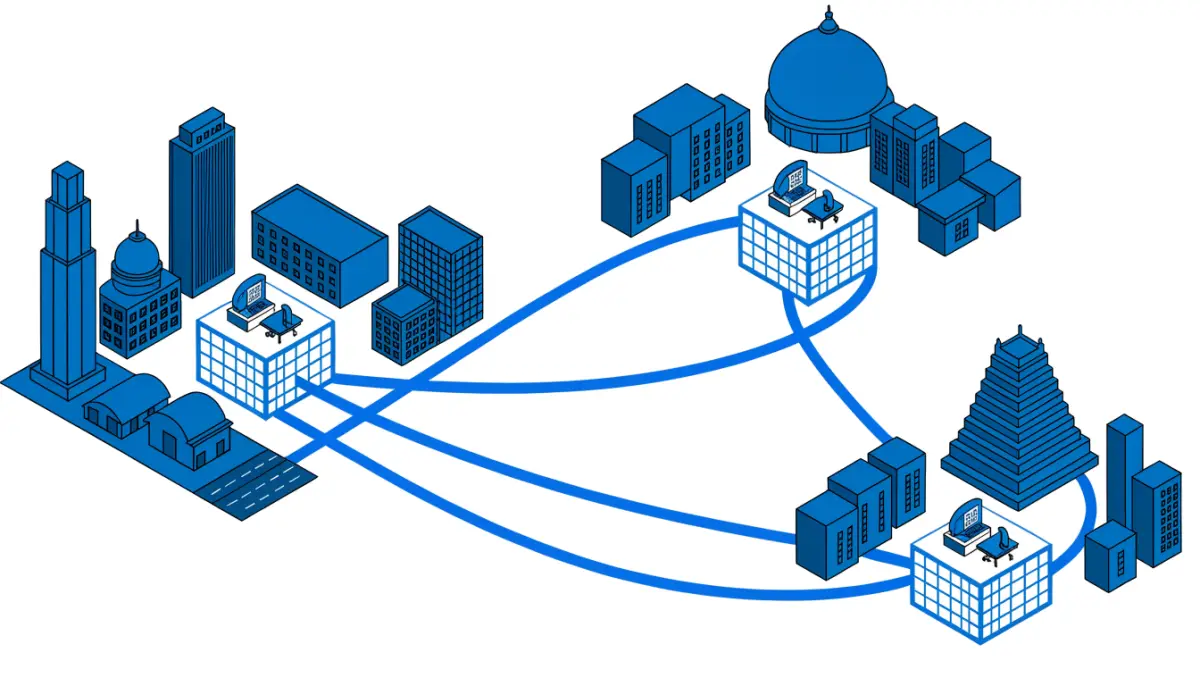
A business with a head office and five branches often has six separate phone systems, six sets of phone lines and no easy way to transfer a call from one office to another. A multi branch phone system fixes that. Every office dials the others by extension, calls can be transferred between sites, and one team manages it all. This guide explains the two main designs, what you need at each branch, and how to plan the change.
What a multi branch phone system gives you
- Extension dialling between offices. Staff in Pune dial a Chennai colleague by extension instead of a full mobile or landline number.
- Transfers across sites. A customer who calls the wrong branch is passed to the right one without calling again.
- One place to manage. Extensions, call routing and reports for every branch are set up from one console.
- Shared features. IVR, ring groups, voicemail and call recording work the same way in every office.
Two ways to connect branch offices
| Design | How it works | Best for |
|---|---|---|
| One central IP PBX | All branch phones register to one Voxdial IP PBX at the head office or data centre | Branches with a reliable internet link and a small number of users |
| PBX at each site, linked | Each branch has its own Voxdial IP PBX, and the PBXs are linked by SIP trunks | Larger branches, sites with weak internet, or branches that must keep working on their own |
One central IP PBX
With one central PBX, every IP phone in every branch is an extension on the same system. Branch phones reach the PBX over the network, and all the settings live in one place. This is the simplest design to manage, and it suits small branches such as sales offices.
The trade-off is that branch phones depend on the link to the head office. If that link goes down, the branch loses its phones. Plan a backup link at each branch, and keep a mobile number on the IVR as a fallback.
A PBX at each site, linked by SIP trunks
In the Voxdial IP PBX, a trunk can connect to another phone system as well as to a telephone provider. So each branch can run its own PBX with its own local phone lines, and the PBXs are linked by SIP trunks. Outbound routes send calls for another branch’s extension range over the link, and the Intra-Company route type marks those routes as internal company calls.
If the link between offices fails, each branch keeps making and taking local calls. This design suits large branches, factories and hospitals where the phones cannot stop.
What you need at each branch
- IP phones. Desk phones for staff, such as BitVoice IP phones.
- An analog gateway for older phones. If a branch has analog phones, fax machines or door phones, a BitVoice VoIP gateway connects them to the IP PBX. BitVoice analog gateways with 8 to 32 ports are TEC certified.
- PoE switches and a UPS. So phones keep working through power cuts. Read PoE for IP phones.
- A good internet or MPLS link. Each call needs bandwidth, so plan for the number of calls the branch makes at the same time.
- Local phone lines where needed. A SIP trunk or PRI line at a branch gives it a local number and a fallback if the inter-office link fails. See SIP trunks in India.
Setting up phones at many branches
Configuring hundreds of phones by hand across several cities is slow and leads to mistakes. Voxdial auto provisioning creates and pushes the configuration for supported IP phones and BitVoice gateways, so the engineer at the branch only needs to connect the phone. Read IP phone auto provisioning for how it works.
The Voxdial deployment map then shows every extension on the system and how it connects: desk IP phone, gateway port, or softphone and mobile app. Each extension is green when registered and red when offline, so a phone that drops off at a branch is easy to spot from the head office.
Planning tips
- Plan the numbering first. Give each branch its own extension range, for example 2xxx for Mumbai and 3xxx for Delhi, so staff can tell where a call is going.
- Decide where outside calls go out. Usually each branch uses its own local lines. Check with your telecom operator before routing outside calls from one city through another city’s lines.
- Keep a local fallback. Every branch should still be able to call out when the link to head office is down.
- Secure the links. Use TLS and SRTP for SIP across the internet, change default passwords and restrict international dialling. See PBX security and toll fraud.
- Move one branch at a time. Start with a small branch, fix any issues, then roll out to the rest.
Planning a phone system for several offices? Talk to BitVoice for a site survey and a design for your branches.
FAQs
What is a multi branch phone system?
It is one phone system that connects several offices, so staff in any branch can dial each other by extension and transfer calls between sites.
Do I need a separate PBX in every branch?
Not always. Small branches can register their phones to one central IP PBX. Larger branches, or sites with weak internet, are better with their own PBX linked to head office by a SIP trunk.
Can analog phones at a branch work with a central IP PBX?
Yes. An analog VoIP gateway at the branch connects analog phones and fax machines to the IP PBX as normal extensions.
What happens if the internet link to head office fails?
Phones registered to a central PBX stop working until the link returns. With a PBX at each branch and local phone lines, the branch keeps making and taking local calls.


