










Voxdial Contact Center by BitVoice
Voxdial: a human-first omnichannel contact centre
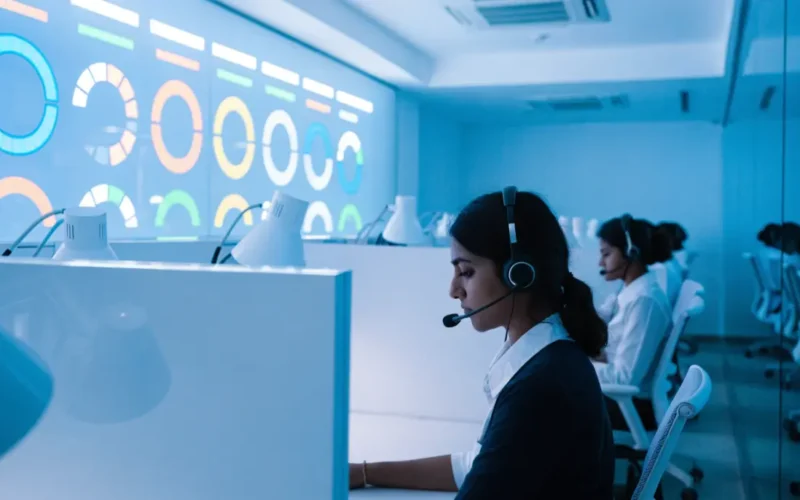
Voxdial Contact Center by BitVoice runs your customer service on phone calls, WhatsApp calls, WhatsApp chat and Instagram from one place. Agents take WhatsApp calls just like phone calls. Your agents answer first. When no agent is free, the AI voice agent picks up instead of leaving the caller on hold, then passes the call back to a person with a summary or moves it to WhatsApp or Instagram. Agents work in one console with your CRM built in, and supervisors watch every queue, agent and call live on the wallboard.
1 console for AI, agents and chat
Human firstAgents answer every call they can; the AI voice agent covers the rest in 22 languagesPriority 1–9Decides which agents get each queue’s calls first80% in 60 sSet your own service level target and track it live
AgentsAnswer firstQueuesPriority routingAI backupWhen agents are busyWhatsApp callsAnswered like phone callsChat overflowWhatsApp and InstagramCallbacksMissed callersScreen popCRM record opensClick to callFrom your CRMSoftphoneBuilt into consoleWallboardLive on a TVMonitoringListen, whisper, bargeReportsAgents and queues
AI, agents and WhatsApp together
Human first, AI when agents are busy: no caller left waiting
Every call goes to your team first. Only when no agent can answer does the BitVoice AI voice agent step in, so the caller is helped straight away. It passes the call back to the next free agent with a summary, or sends a link by SMS and WhatsApp to continue on WhatsApp or Instagram.
- Step 1Customer calls
On your toll-free or business number, or a WhatsApp call to your business. Both reach the same queues.
Voxdial Contact Center - Step 2Your agents answer first
The call goes to the right queue by priority, and the CRM record opens on the agent console.
Priority queues - No agent free?AI voice agent steps in
Instead of hold music, the AI answers in 22 Indian languages, solves routine requests and passes the call to the next free agent with a summary.
BitVoice AI Agents - Still busy?Queue sends a chat link
A queue event sends the caller a link by SMS and WhatsApp to continue the conversation on WhatsApp or Instagram.
Queue event - Step 3Chat continues
The customer chats on WhatsApp or Instagram, and the next free agent replies from the shared inbox.
Social Media Platform
CRM integration
Plug in your existing CRM, no coding needed
Keep the CRM your team already uses. It opens inside the Voxdial agent console, every phone number in it becomes click to call, and incoming calls open the caller’s record on their own. For deeper links, our API shares call events and data with your systems.
✓ Click to call from any phone number in your CRM
✓ Caller’s record pops up on every incoming call
✓ Works with web-based CRMs, helpdesks and in-house apps
✓ API for call events, outcomes and reports
- Customer
- Priya N.
- Status
- Hot lead
- Screen pop on incoming calls
- Call outcome saved
- Recording linked
DashboardCRMWhatsAppMessenger
TransferConferenceHoldParkDTMFPick from queue
- Incoming
- 46 calls
- Outgoing
- 31 calls
- Talk time
- 3 h 42 m
- Missed to call back
- 2
- Built-in softphone
- Click to call from CRM
- Call quality monitor
Agent console
One desktop agent console for calls, CRM and WhatsApp
Our own agent console app for Windows, Mac and Linux puts everything an agent needs in one window: a built-in softphone, your CRM, WhatsApp and Facebook, queues and missed calls. When a call arrives, the customer’s CRM record opens on its own.
✓ Built-in softphone, no desk phone or extra app needed
✓ WhatsApp calls answered like phone calls
✓ Click any phone number in your CRM or on the computer to dial
✓ Transfer, conference, hold, park and pick calls from the queue
✓ Agent-to-agent messenger and a personal performance dashboard
✓ Works from home, with call quality monitoring
Inbound queues and routing
IVR menus send each caller to the right queue. Agents are offered calls by priority and skill, and waiting callers hear music, announcements and their options.
Outbound calling
Agents call your own customers from a list or straight from the CRM, with lead forms, call outcomes and scheduled callbacks. Automatic dialling modes are available where your calling policy allows.
Desktop agent console
Our own app with a built-in softphone, CRM screen pop, WhatsApp, transfers, conferencing, call parking, missed calls and break reasons in one window.
Live wallboard
A big-screen view of calls waiting, agents free, service level, answer and abandon rates, average speed of answer and handle time, turning red when targets slip.
Supervisor monitoring
See who is available, on a call, paused or on break. Listen to a live call, whisper to coach the agent, or barge in to help the customer.
No missed caller left behind
Missed and abandoned callers are called back automatically during your working hours, and a callback worklist shows anyone still waiting for a reply.
Reports and recordings
Inbound, outbound and campaign reports with call playback, agent performance and utilisation, and abandoned calls by agent, queue and IVR, exported to Excel.
Voice broadcast and robo IVR
Send a recorded message to thousands of numbers, or run outbound IVR calls that play a message and route the caller by the key they press.
WhatsApp calls, CRM and AI agents
Take WhatsApp calls in the same queues as phone calls, connect your CRM, add WhatsApp and Instagram chat with the BitVoice Social Media Platform, and let AI voice agents take calls your team cannot answer in time.
Inbound call centre
Every caller reaches the right agent, fast
Each phone number leads to a queue for its team. While callers wait, timed queue actions play messages or move them to another route, and if no agent is free the call goes where you choose: voicemail, another team or a callback.
✓ Separate queues per team, service or language
✓ Maximum wait time and queue length per queue
✓ Missed calls called back automatically
Customer calls
Your toll-free, mobile or landline number
IVR menu
“Press 1 for new orders, 2 for complaints”
Queue
Music and position messages while the caller waits
Best available agent
Caller details on screen, outcome saved after the call
- 92%Service level
- 18 sAvg. answer
- 3.1%Abandoned
| agent | status | time |
|---|---|---|
| Anita | On call | 03:12 |
| Ravi | Available | 00:41 |
| Fathima | On call | 01:58 |
| Suresh | Break, meal | 12:05 |
Real-time supervision
A live call centre wallboard and dashboard
Put the wallboard on a TV and the whole floor sees how the centre is doing. Gauges turn green, amber or red against the targets you set, and the dashboard shows each agent’s status and today’s calls.
✓ Service level, answer rate and abandon rate gauges
✓ Average speed of answer, wait and handle time
✓ Overview, agent and SLA focused layouts
✓ Break reasons recorded for every pause
How it works
How to set up your contact centre
01
Design your call flows
We map your numbers, IVR, queues and AI backup, set up WhatsApp and Instagram overflow, and connect your CRM.
02
Add agents and lines
We connect your phone lines, create agent logins and set service level targets, breaks and callback rules.
03
Go live and improve
Train agents and supervisors, then use the wallboard and reports to improve every week. Our team supports you 24X7.
Contact centre specifications
| Platform | Voxdial Contact Center on the Voxdial IP PBX platform, TEC certified under MTCTE (Department of Telecommunications, Government of India) |
| AI and omnichannel | Human agents answer first; when no agent is free, BitVoice AI voice agents answer and pass the call back to the next free agent with a summary; while every agent is busy, a queue event sends the caller a WhatsApp or Instagram chat link by SMS and WhatsApp message, answered from the Social Media Platform inbox |
| CRM integration | Any web-based CRM inside the agent console, click to call, screen pop on incoming calls, API for call events and data |
| Inbound | Phone numbers and WhatsApp calls to queues or agents, IVR, queues with agent priority 1–9, call waiting music and announcements, maximum wait and queue length, timed queue actions, no-agent destination |
| Outbound | Click to call from the CRM and agent console; lists with manual, preview, auto and predictive dialling (1:1 to 1:4) where your calling policy allows, lead upload and download, lead forms, custom drop-downs, dispositions, lead recycling, scheduled callbacks |
| Agent console | Desktop app for Windows, Mac and Linux with built-in WebRTC softphone, CRM, WhatsApp and Facebook tabs, CRM screen pop and click to call, attended, blind and agent transfer, conference, hold, park, DTMF, pick from queue, missed calls, agent status, quick contacts, internal messenger, personal dashboard, break reasons, auto answer, call quality monitor, STUN/TURN for remote agents |
| Agents | Agent logins and direct numbers, auto callback, desktop alerts, supervisor console mode |
| Supervision | Live dashboard and wallboard (service level, answer and abandon rate, ASA, average wait and handle time, SLA breaches, peak hour), listen, whisper and barge, customer satisfaction surveys |
| Reports | Inbound, outbound and campaign reports with recordings, agent performance and timeline, missed calls and callback worklist, abandoned calls by agent, queue and IVR, Excel export |
| Automation | Voice broadcast (call blast), outbound IVR campaigns, emergency voice alerts, AI voice agents |
| Phone lines | SIP trunks, PRI E1 and analog lines, toll-free and mobile numbers |
| Support | 24X7 phone, email and WhatsApp |
Contact centre software FAQs
What is contact centre software?
Contact centre software manages a team that handles customer calls. It queues incoming calls and routes them to agents, gives agents a screen with customer details, and lets supervisors monitor calls and measure performance. Voxdial Contact Center routes every call to your agents first, adds a BitVoice AI voice agent for calls no agent can take, WhatsApp and Instagram for callers when agents are busy, and click to call from your own CRM.
Can AI voice agents work with our call centre?
Yes, as a backup to your team. Voxdial sends every call to your agents first. When no agent is free, a BitVoice AI voice agent answers in 22 Indian languages and resolves routine requests, then passes the call to the next free agent with a summary, and the agent sees the caller’s CRM record as the call arrives.
Can agents take WhatsApp calls?
Yes. A customer can call your business on WhatsApp, and the call reaches the same queues as your phone calls. Agents answer it in the Voxdial agent console just like a phone call, with the customer’s CRM record on screen.
What happens when all agents are busy?
Instead of keeping the customer on hold, a queue event sends the caller a link by SMS and WhatsApp message to continue on WhatsApp or Instagram. The conversation lands in the BitVoice shared inbox, and the next free agent replies there. Callers who hang up are also called back automatically.
How does it connect to our existing CRM?
Your web-based CRM opens inside the Voxdial agent console. Phone numbers in the CRM become click to call, and the caller’s record opens automatically on incoming calls, with no changes to the CRM. For deeper integration, the Voxdial API shares call events, outcomes and reports with your systems.
How does the call centre handle missed calls?
Missed and abandoned callers can be called back automatically at an interval you set, only within your working hours. The missed calls report groups repeat callers, and a callback worklist shows every number still waiting for a return call.
Can supervisors listen to live calls?
Yes. From the dashboard a supervisor can listen silently, whisper to coach the agent without the customer hearing, or barge in to join the call. Calls can also be recorded and played back from the reports.
What does the wallboard show?
Calls waiting, agents available, calls answered and abandoned, service level, answer and abandon rates, average speed of answer, average wait and handle time, SLA breaches and the peak hour. Gauges change colour against your targets, for example 80% of calls answered within 60 seconds.
Do agents need desk phones?
No. The Voxdial agent console for Windows, Mac and Linux has a built-in softphone, so a headset is enough, at the office or from home. Agents can also use an IP phone. Each agent has a login and an extension, and can be given a direct number.
What can agents do in the Voxdial agent console?
Take and make calls with the built-in softphone, see the customer’s CRM record open automatically, click any number to dial, transfer, conference, hold and park calls, pick waiting calls from the queue, call back missed callers, chat with other agents, reply on WhatsApp and Facebook, and check their own calls and talk time for the day.
Is it TEC compliant for Indian deployments?
Yes. Voxdial Contact Center runs on the Voxdial IP PBX platform, which is certified by the Telecommunication Engineering Centre under the Department of Telecommunications’ MTCTE scheme, as required for telecom equipment used in India and asked for in government and PSU tenders.
Which businesses use it?
Hospitals for appointments and follow-ups, banks and NBFCs for renewals and collections, colleges for admissions, automobile and consumer brands for sales and service, and any business that runs a customer care or telesales team.