
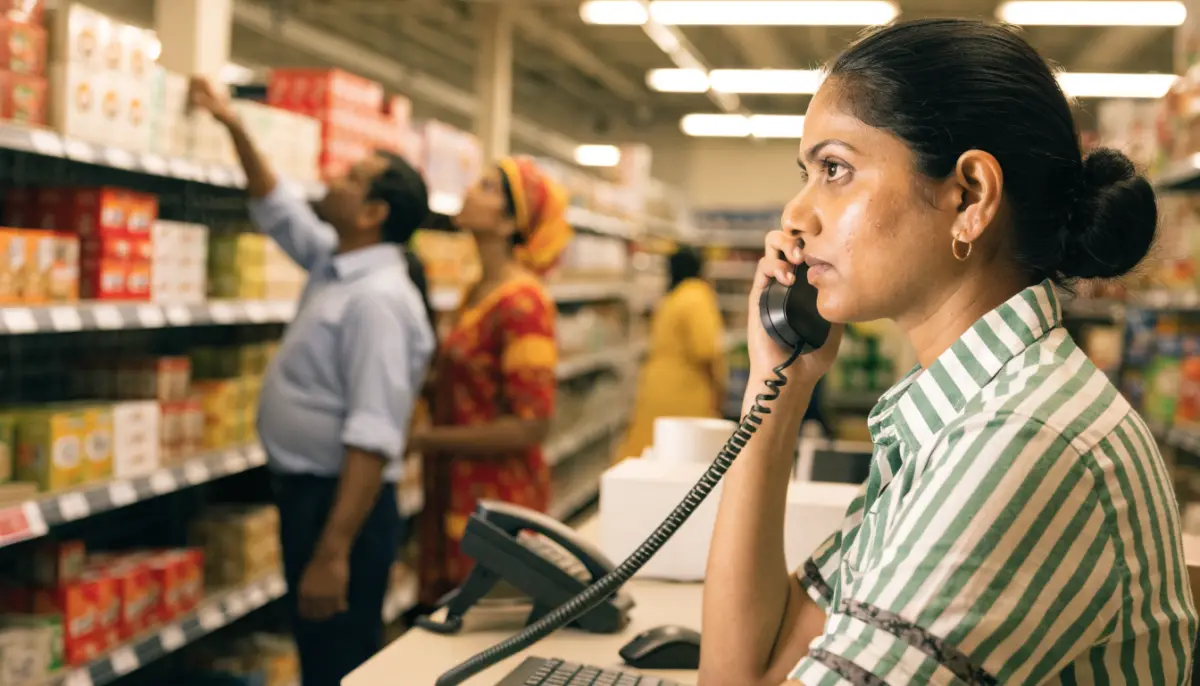
A retail chain with ten or fifty stores usually ends up with ten or fifty separate phone numbers, a busy line at the head office and a WhatsApp number on someone’s personal phone. Customers call the wrong store, wait on hold, or give up and buy elsewhere. A proper phone system for retail stores puts every store, the warehouse and customer support on one platform, with one number customers remember and clear rules for where each call goes. This guide explains how to plan it.
What goes wrong with phones in a retail chain
Most retail phone problems come from growth. Each new store gets its own landline or mobile, and nobody connects them.
- Calls ring at a busy counter. Staff are billing customers, so the phone rings out.
- No one sees missed calls. A customer asking about stock or a delivery never gets a call back.
- Every store answers differently. There is no common greeting, no hold music and no recording.
- Head office cannot help. When a customer complains, nobody can check which store they called or what was said.
- Calls between stores cost money. Staff call each other on mobiles to check stock.
One platform for every store
The fix is an IP PBX at the centre with every store connected to it. With Voxdial IP PBX, each store gets its own extensions and ring groups, while calls between stores are free extension-to-extension calls over your network or the internet. Our guide to multi-branch office phone systems covers the network side in more detail.
A typical layout looks like this:
| Location | What it needs | How it is set up |
|---|---|---|
| Head office | Reception, management, accounts | Extensions, operator console, ring groups |
| Customer support | Answer the central number, handle complaints | Voxdial Contact Center queue |
| Each store | Counter phone, manager phone | Extensions and a store ring group |
| Warehouse | Dispatch and stock queries | Ring group, paging if the floor is large |
| Delivery and field staff | Reachable on the move | Follow-me to mobile or mobile softphone |
Stores with existing analog phones can keep them. A BitVoice VoIP gateway connects analog handsets to the IP PBX, so you do not have to replace every phone on day one.
Store call routing: one number or many
There are two common patterns, and many chains use both.
A central number for customers
Publish one number on bills, bags, Google listings and the website. The call lands on an IVR menu:
- Press 1 for store timings and locations.
- Press 2 to check an order or delivery.
- Press 3 for returns and complaints.
- Press 4 to speak to a store.
Order, returns and complaint calls go to a trained support team in a queue, not to the store counter. The store option can route to a sub-menu by city or area. In Voxdial, each key press in an IVR goes to a destination such as a ring group, queue or another menu, with a timeout destination for callers who press nothing. See IVR call flow design for how to keep menus short.
A direct number for each store
Each store can also keep its own number. Voxdial maps every incoming DID number to a destination, so a store’s number can ring the store’s ring group first and move to the central support queue if nobody answers. Customers who call the store directly still reach a person.
Store timings
Retail hours vary by store and by day. Time conditions send calls one way during opening hours and another way after closing, for example to a recorded message with timings, or to the support team that works later. Our post on time-based call routing shows how to set this up.
Customer support for a retail chain
Once calls reach a central team, Voxdial Contact Center gives them the tools of a proper support desk:
- Queues with hold messages instead of a ringing counter.
- Auto callback for missed calls, so an idle agent’s console calls back customers who hung up, during the hours you set.
- Dispositions at the end of each call, such as “Delivery query”, “Return” or “Stock check”, so you can see why customers call.
- Call recording for complaints and staff training.
- CRM screen pop and click to call in the agent console, so the agent sees the customer’s record when the call arrives.
Human first: your agents answer first. When every agent is busy in a sale or festival rush, a BitVoice AI voice agent can pick up, answer simple questions such as store timings or order status, and pass the caller back to the next free agent with a summary.
WhatsApp for orders and store queries
Many retail customers prefer WhatsApp to a phone call. The BitVoice Social Media Platform runs on the official WhatsApp Business API, with one shared inbox for the support team instead of a phone in a drawer.
- Shared inbox: several agents answer WhatsApp, Instagram and website chats from one screen.
- Chatbot for routine questions: store timings, locations, return policy, with handover to a person.
- Order updates from your systems: your billing or e-commerce system can send WhatsApp messages through the platform’s HTTP API, such as an order confirmation or a “ready for pickup” note.
- Campaigns by name to customers who opted in, using approved WhatsApp template messages.
- WhatsApp calls handled by agents in the call centre, just like phone calls.
When the phone queue is busy, the queue can send callers a WhatsApp or SMS chat link so they can continue in chat rather than wait.
Planning checklist
Before you roll out, write down:
- Every store, its opening hours and who should answer its phone.
- The central number and the IVR options, kept to four or fewer.
- Which calls go to stores and which go to central support.
- Network and internet at each store, including a backup connection.
- Which stores keep analog phones on a gateway and which move to IP phones.
- Who handles WhatsApp, and which messages your systems will send automatically.
- The reports you want each week: missed calls by store, call reasons and callback times.
Roll out to two or three stores first, fix the call flow, then add the rest.
Want a phone system that connects every store to one support team? Talk to BitVoice.
FAQs
Can each store keep its own phone number?
Yes. Each store’s number can be mapped to that store’s ring group, and unanswered calls can move to the central support queue so customers still reach someone.
Do we need new phones in every store?
No. Existing analog phones can be connected to the IP PBX through a VoIP gateway. You can move stores to IP phones later.
How do we handle calls during sale or festival peaks?
Use queues with auto callback for missed calls, a WhatsApp chat link for callers who do not want to wait, and an AI voice agent as backup when every agent is busy.
Can our billing system send WhatsApp order updates?
Yes. Your system can send WhatsApp messages through the platform’s HTTP API, using approved templates for messages outside the 24-hour customer service window.


