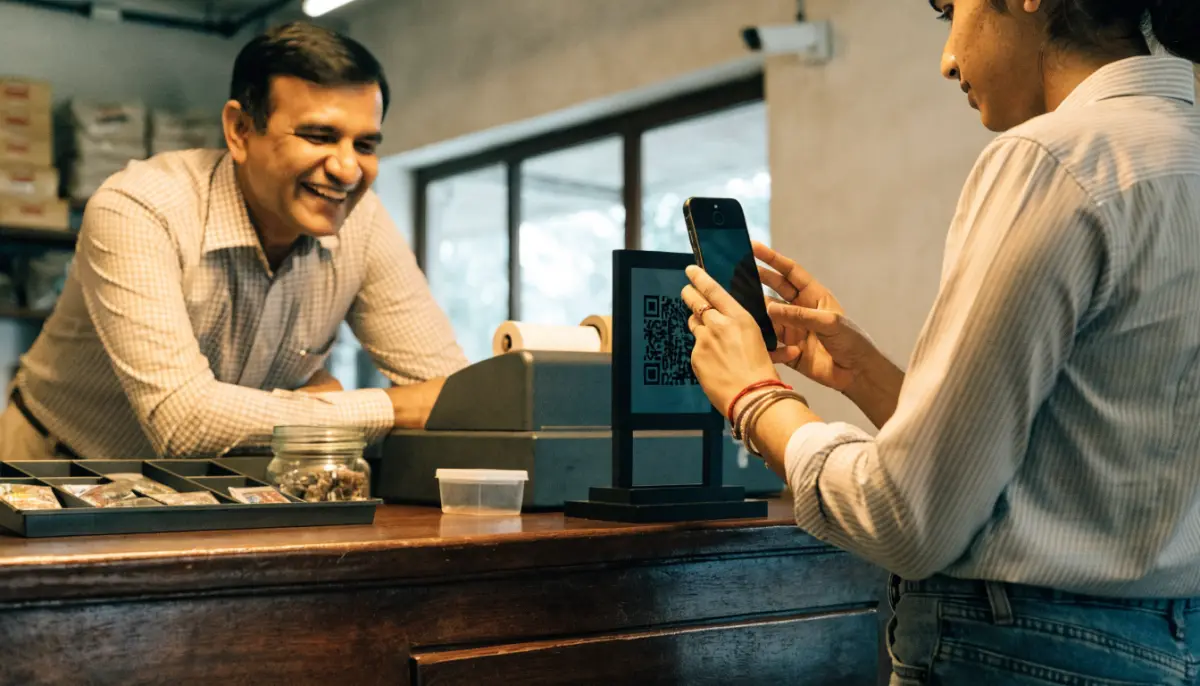
The easiest way to get customers talking to you on WhatsApp is to let them start the chat. A WhatsApp click to chat link opens a conversation with your business number in one tap, with no need to save the number first. Print the same link as a QR code and a customer at your counter can start chatting in seconds. This guide explains how wa.me links work, how to add a pre-filled message, where to place links and QR codes, and how to handle the chats they bring in.
What is a WhatsApp click to chat link?
Click to chat is a feature of WhatsApp. A special link opens WhatsApp on the customer’s phone or computer with a chat to your number ready to go. It works for numbers on the WhatsApp Business app and on the WhatsApp Business API.
The basic format is:
- https://wa.me/ followed by your full phone number in international format.
For an Indian number, that means 91 followed by the 10-digit mobile number, with no plus sign, no spaces, no dashes and no leading zero. For example, a number written as +91 98xxx xxxxx becomes wa.me/9198xxxxxxxx.
Add a pre-filled message
You can add text that appears in the customer’s message box when the chat opens. The customer can edit it and taps send.
- Add ?text= after the number, followed by your message.
- Spaces and special characters must be URL-encoded. A space becomes %20.
For example, wa.me/9198xxxxxxxx?text=Hi%2C%20I%20want%20a%20demo opens a chat with “Hi, I want a demo” ready to send.
Pre-filled text is more useful than it looks. When each link carries a different message, you know where the customer came from:
| Placed on | Pre-filled message |
|---|---|
| Website contact page | Hi, I have a question about your products |
| Pricing page | Hi, I want a quote |
| Shop counter QR | Hi, I am at your store |
| Google Business Profile | Hi, I found you on Google |
| Instagram bio | Hi, I saw your post on Instagram |
Your team, or a bot, can then reply with the right answer for that source, and your reports can tag the chat by where it started.
Turn the link into a QR code
A QR code is simply the same wa.me link drawn as a pattern a phone camera can read. Any reliable QR code generator can create one from your link. The WhatsApp Business app and WhatsApp Manager also offer ways to create short links and QR codes for your number.
Good places for a WhatsApp QR code in an Indian business:
- Reception and billing counters in shops, clinics, hospitals and hotels.
- Invoices, delivery slips and packaging, for order questions.
- Brochures, standees and visiting cards at events and dealer meets.
- Hotel rooms and front desks, for guest requests.
- School and college admission desks, for parents who want to follow up later.
Print a short line next to the code, such as “Scan to chat with us on WhatsApp”, and test it with two or three different phones before printing in bulk.
Add a WhatsApp button to your website
On a website, the click to chat link usually sits behind a button: a WhatsApp icon in the corner, or a “Chat on WhatsApp” button on contact and product pages. A few tips:
- Use the full wa.me link, so it works on mobile and on WhatsApp Web or desktop.
- Do not cover other content with a floating button on small screens.
- Use different pre-filled messages on different pages, as in the table above.
- Offer a choice. Some visitors prefer website live chat or a phone call; show those options too.
Click to chat links also help opt-in
When a customer messages your business first, it is a clear sign they want to talk to you on WhatsApp. That makes click to chat links and QR codes one of the cleanest ways to start a relationship on WhatsApp. If you plan to send updates or offers later, also ask for opt-in clearly and record it. Our guide to WhatsApp opt-in and quality rating explains why this matters for your number’s health.
Be ready for the chats that arrive
A link or QR code that works too well can flood one phone with messages. Plan how you will answer before you print 5,000 brochures.
On the BitVoice Social Media Platform, built on Meta’s official WhatsApp Cloud API, chats from your links arrive in a shared inbox that the whole team can answer. It helps in a few ways:
- Bot flows can greet the customer, answer routine questions and collect details, then hand over to a person.
- Intent detection can spot what the customer wants from their first message and start the right flow or transfer to an agent.
- Tags and customer profiles keep track of where each customer came from and what they asked.
- Approved templates let you follow up after the 24-hour window closes.
If customers prefer to call, a “Call on WhatsApp” button can be added to approved templates. On Voxdial Contact Center, agents take WhatsApp calls just like phone calls.
Common mistakes
- Wrong number format. A plus sign, a leading zero or spaces in the number breaks the link.
- Unencoded text. Special characters in the pre-filled message must be encoded, or the text may be cut.
- A personal number on the link. If the link points to a staff member’s phone, it stops working for the business when they leave. Use the company’s API number.
- No reply plan. Customers who scan and get no answer remember it.
- One generic link everywhere. You lose the chance to know which channel brings enquiries.
Want your WhatsApp links and QR codes to land in one team inbox with a bot to help? Talk to BitVoice.
FAQs
How do I create a WhatsApp click to chat link?
Use https://wa.me/ followed by your number in international format without a plus sign, spaces or leading zero. For India, start with 91 and add the 10-digit mobile number.
Can I add a pre-filled message to a wa.me link?
Yes. Add ?text= followed by your message, with spaces written as %20. The customer sees the text in the message box and can edit it before sending.
Do WhatsApp click to chat links work with the WhatsApp Business API?
Yes. The link opens a chat with any WhatsApp number, including numbers on the WhatsApp Business API, so chats arrive in your API inbox.
How do I make a WhatsApp QR code for my business?
Create your wa.me link first, then turn it into a QR code with a reliable QR generator, or use the short link and QR options in the WhatsApp Business app or WhatsApp Manager. Test it before printing.